The Universal Model
for Planet Earth
Google DeepMind's AlphaEarth Foundations encodes every 10 m pixel into a 64-dimensional fingerprint — a public Earth Engine dataset scientists can use today
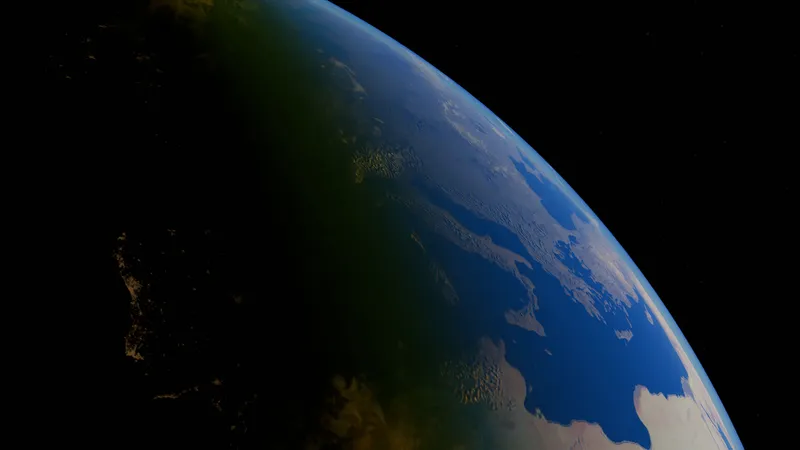
In July 2025, Google DeepMind introduced AlphaEarth Foundations, a geospatial foundation model designed to turn huge volumes of Earth observation data into a compact, reusable representation of the planet. Google described it as functioning like a “virtual satellite”: not because it replaces real satellites, but because it combines many different satellite and environmental data sources into one consistent digital view of land and shallow coastal waters.
The practical product of this model is the Google Satellite Embedding dataset in Google Earth Engine. Instead of giving users raw red, green, blue, infrared, radar, terrain, climate, and other bands separately, the dataset gives every 10 m pixel a learned 64-dimensional embedding for each year. That embedding acts like a compact fingerprint of the surface conditions at that place and time.
This matters because much of environmental science is bottlenecked by labels. Researchers often have a few hundred field points, camera-trap locations, crop samples, habitat polygons, or protected-area observations, but not enough labelled data to train a large satellite model from scratch. AlphaEarth Foundations shifts the workflow: Google has already run the expensive feature-learning step, and scientists can use the embeddings directly for classification, regression, similarity search, and change detection.
Source note: This post was prepared from Google DeepMind’s AlphaEarth Foundations announcement, the Google Satellite Embedding V1 Earth Engine Data Catalog page, the AlphaEarth Foundations preprint, Google Earth and Earth Engine technical posts and tutorials, and Earth Engine noncommercial/commercial access guidance. Links are listed throughout and again in the source section.
The Quick Answer
Yes: the “universal model of the Earth” people are talking about is AlphaEarth Foundations. A better technical description is:
a geospatial foundation model that produces reusable satellite embeddings for the Earth’s surface
.
| Question | Answer |
|---|---|
| Who built it? | Google DeepMind, with the resulting dataset released through Google Earth Engine. |
| When was it announced? | 30 July 2025. |
| What is released for users? | The |
| What does each pixel contain? | A 64-dimensional embedding vector summarising a year of surface conditions at 10 m resolution. |
| What years are available? | Annual layers from 2017 through 2024 in the Earth Engine Data Catalog. Google states that annual production is intended to continue, subject to input data availability. |
| What is it useful for? | Land-cover mapping, habitat mapping, crop classification, biomass modelling, change detection, similarity search, wildfire recovery, coastal mapping, and other sparse-label science tasks. |
| What is it not? | It is not a full climate simulator, not a weather model, not a labelled map by itself, and not a replacement for field validation. |
What the Embeddings Look Like
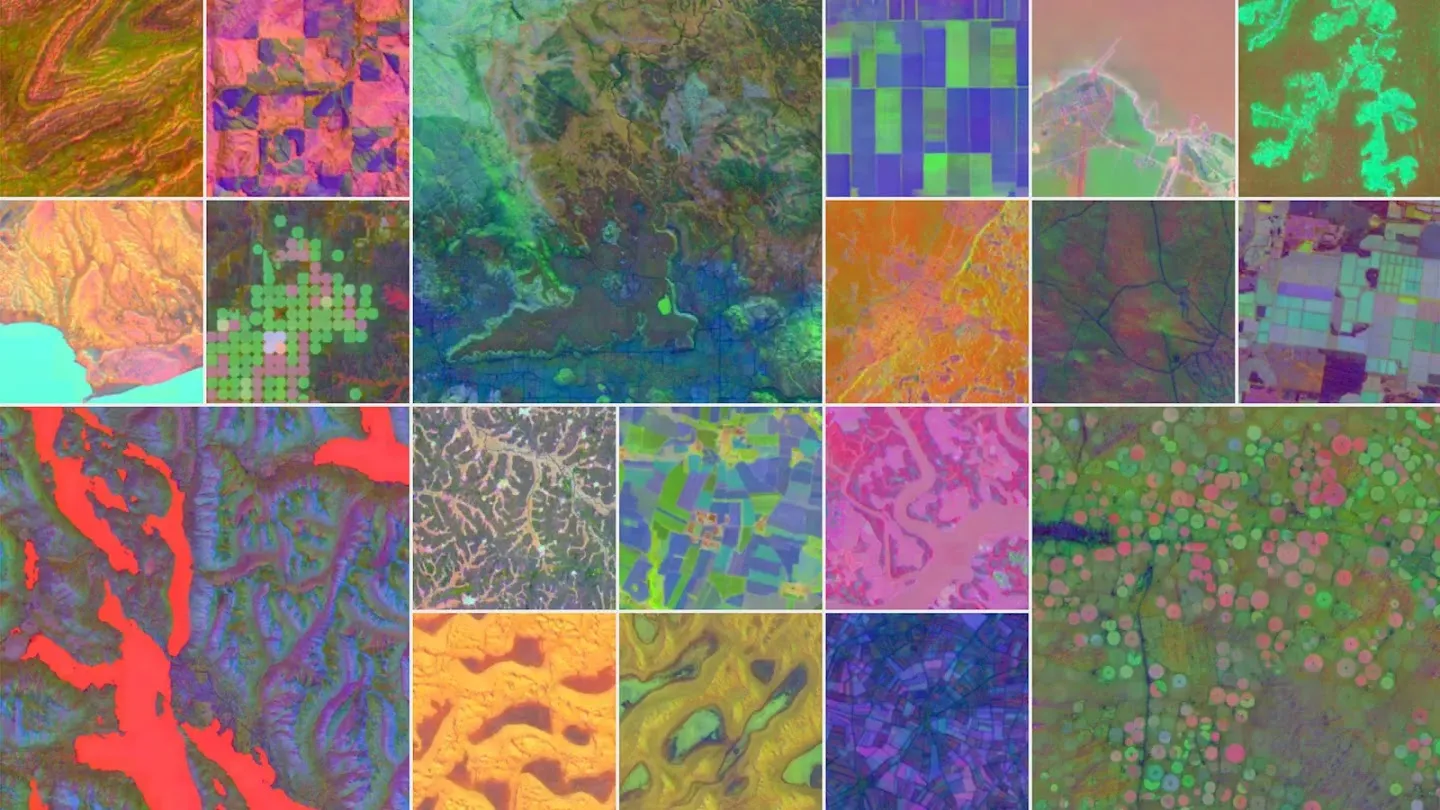
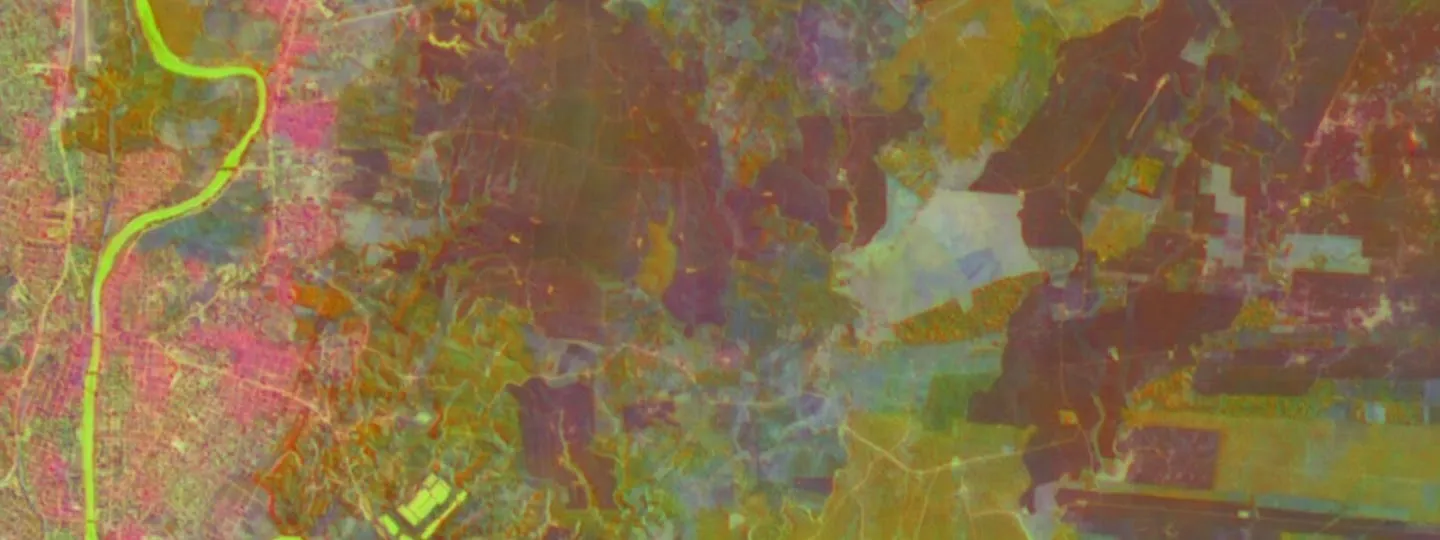
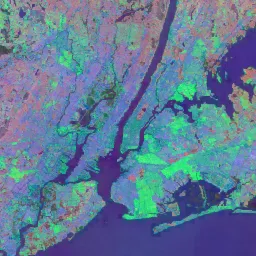
A 64-dimensional embedding cannot be seen directly. To make it visible, Google and other users often assign three embedding dimensions to red, green, and blue. The colours are not natural colour. They are a way of visualising patterns in the learned representation.
What Is AlphaEarth Foundations?
AlphaEarth Foundations is a geospatial embedding field model. That phrase sounds abstract, but the idea is straightforward:
The model learns how places on Earth behave and appear across many different sources of Earth observation data. For a given location and time period, it produces a short numeric vector that captures useful information about that place. This vector can then be used as an input to simpler models and geospatial workflows.
Traditional satellite analysis often starts with a hand-built stack of inputs: Sentinel-2 bands, Landsat bands, NDVI, radar backscatter, elevation, slope, rainfall, seasonal composites, cloud masks, gap filling, and many other transformations. AlphaEarth Foundations tries to compress much of that messy multi-source information into a single learned representation.
Google DeepMind says the model integrates large amounts of Earth observation data into a unified representation that can help researchers analyse food security, deforestation, urban expansion, water resources, and environmental change. The Earth Engine Data Catalog describes the released Satellite Embedding dataset as a global, analysis-ready collection of 10 m geospatial embeddings, where each pixel contains a 64-dimensional vector derived from multiple Earth observation data sources.
Official entry points:
Google DeepMind announcement
,
Earth Engine Data Catalog page
, and
AlphaEarth Foundations preprint
.
What Is a Satellite Embedding?
An embedding is a learned numeric representation. In language models, words or sentences are turned into vectors so that similar meanings sit near each other in vector space. In AlphaEarth Foundations, places on Earth are turned into vectors so that similar surface conditions sit near each other in a geospatial embedding space.
In the Google Satellite Embedding dataset, every 10 m pixel has 64 bands
named A00 through A63. These are not normal
spectral bands. A07, for example, does not mean “red
reflectance” or “moisture”. It is one axis of a learned 64-dimensional
coordinate.
| Conventional satellite composite | AlphaEarth satellite embedding |
|---|---|
Bands correspond to physical measurements such as red, near-infrared, shortwave infrared, radar backscatter, or thermal emission. | Bands are learned dimensions in a 64-dimensional embedding space. |
Users often need cloud masking, seasonal compositing, index calculation, radar filtering, and gap filling. | The dataset is already prepared as annual, analysis-ready feature layers. |
Good for direct interpretation: NDVI, water indices, burn indices, reflectance values. | Good for machine learning and similarity: clustering, classification, regression, change detection, and vector search. |
| The user decides which features to engineer. | The foundation model has already learned a compact feature representation from many inputs. |
The important warning is that
embedding dimensions are not independently interpretable
. You should use all 64 dimensions together for modelling unless you have a strong reason not to. The value of the dataset comes from the geometry of the full embedding space, not from naming each band as if it were a physical measurement.
What Data Went Into the Model?
AlphaEarth Foundations was trained to integrate multiple categories of Earth observation data. The paper and Google materials describe inputs including optical satellite imagery, radar, LiDAR, elevation, climate reanalysis, gravity/mass data, labelled land-cover or land-use products, and text sources.
| Input type | Examples mentioned in Google materials | Why it helps |
|---|---|---|
| Optical imagery | Sentinel-2, Landsat 8/9 | Vegetation, bare ground, water, burned areas, built surfaces, crop cycles. |
| Radar | Sentinel-1, ALOS PALSAR-2 | Cloud-penetrating structure, roughness, moisture-related signals, forest and flood information. |
| LiDAR / structure | GEDI canopy and surface metrics | Vertical vegetation structure and canopy height information. |
| Terrain | GLO-30 elevation | Topography, slope-related landscape context, hydrological context. |
| Climate / environment | ERA5-Land, GRACE | Seasonal and environmental context beyond what a single image can see. |
| Annotated sources | NLCD, later updates including USDA Cropland Data Layer targets | Helps the representation align with human-recognisable land categories. |
| Text sources | Geo-temporally located text labels / Wikipedia-style sources described in the paper | Adds semantic context about places and categories. |
Google’s technical post says the model was trained on over 3 billion individual image frames sampled from more than 5 million locations globally. The Data Catalog also notes that the currently hosted embeddings were generated with version 2.1 of the model, including improvements over the version evaluated in the preprint.
Why This Matters for Science
AlphaEarth Foundations is important because it changes the starting point for remote-sensing science. Instead of every team building a custom stack of raw satellite features, many teams can start with the same global feature representation and spend more time on field data, validation, and scientific interpretation.
1. It lowers the label barrier
Environmental labels are expensive. A field team may only be able to collect a few hundred verified points for wetlands, mangroves, invasive plants, crop types, burn severity, or habitat condition. The AlphaEarth paper reports strong performance in sparse-label settings, comparing AEF to several designed and learned featurization approaches across land cover, land use, crop, species, evapotranspiration, and surface-emissivity tasks.
2. It makes complex satellite data easier to use
A good remote-sensing workflow normally requires many preprocessing decisions: cloud masking, compositing, seasonal windows, spectral indices, radar speckle handling, topographic correction, and sensor harmonisation. Satellite embeddings do not remove the need for expertise, but they give users a ready-made feature layer that can be plugged into Earth Engine classifiers and reducers.
3. It supports comparison through time
The annual embeddings are designed to be consistent across years. That means a user can compare a pixel’s 2019 vector with its 2024 vector and look for meaningful change in the embedding space. This is useful for urban expansion, agricultural change, reservoir changes, wildfire recovery, deforestation, wetland degradation, and habitat restoration monitoring.
4. It makes similarity search possible at planetary scale
With embeddings, you can ask a new kind of question: “find more places like this.” A conservation team could identify sites environmentally similar to known breeding habitat. A restoration team could find areas similar to successful restoration sites. A renewable-energy team could search for surfaces similar to existing solar farms. A disease ecology team could search for environmental analogues to known risk zones.
5. It makes Earth Engine feel more like modern AI infrastructure
Earth Engine already made planetary-scale remote sensing accessible. AlphaEarth adds a foundation-model feature layer inside that environment. This means users can run modern AI-style workflows — classification, vector search, clustering, regression, change detection — without running the deep model themselves.
What It Is Not
The phrase “universal model of the Earth” is exciting, but it can also mislead. AlphaEarth Foundations is powerful, but it is not magic.
| Misunderstanding | Better explanation |
|---|---|
| “It is a complete digital twin of Earth.” | No. It is a learned geospatial representation of terrestrial land surfaces and shallow waters, useful for mapping and monitoring tasks. |
| “It predicts weather or climate by itself.” | No. It is not a weather model like WeatherNext or a climate simulator. It may be useful as a feature layer in environmental modelling. |
| “It labels every pixel automatically.” | No. It provides embeddings. You still need labels, rules, clustering, classifiers, regression models, or similarity thresholds. |
| “The 64 bands are directly interpretable.” | No. The bands are learned vector dimensions. Use the full vector and validate results. |
| “It removes the need for fieldwork.” | No. Field data is still essential for training, validation, uncertainty checks, and ecological meaning. |
| “It works equally well everywhere.” | No. Sensor coverage, training data, biome differences, local land-use patterns, clouds, and artefacts can still matter. Always validate locally. |
How to Use AlphaEarth in Google Earth Engine
The easiest way to use AlphaEarth Foundations is through the Satellite Embedding ImageCollection in Earth Engine:
ee.ImageCollection("GOOGLE/SATELLITE_EMBEDDING/V1/ANNUAL")You do not download the model or run inference yourself. Google has already produced the annual embeddings. Your task is to choose the year, region, labels, and analysis method.
Step 1: Open the dataset
Start in the Earth Engine Code Editor and load one year of embeddings for your area of interest.
// Example: load the 2024 Google Satellite Embedding layer.
var aoi = geometry; // Draw or import your study area.

var embeddings = ee.ImageCollection('GOOGLE/SATELLITE_EMBEDDING/V1/ANNUAL')
.filterDate('2024-01-01', '2025-01-01')
.filterBounds(aoi);

// The collection is tiled, so mosaic the tiles covering your area.
var image2024 = embeddings.mosaic().clip(aoi);

// Visualise three embedding dimensions as false colour.
Map.centerObject(aoi, 10);
Map.addLayer(
image2024.select(['A00', 'A16', 'A32']),
{min: -0.3, max: 0.3},
'AlphaEarth embedding RGB, 2024'
);
The colours are only a visualisation. Do not interpret the red, green, and blue channels as normal satellite colour.
Step 2: Use all 64 bands for analysis
For classification, regression, clustering, or change detection, select all 64 embedding bands.
var bandNames = ee.List.sequence(0, 63).map(function(i) {
return ee.String('A').cat(ee.Number(i).format('%02d'));
});

var features2024 = image2024.select(bandNames);
Step 3: Choose a workflow
| Goal | Method | What you need |
|---|---|---|
| Map habitat or land-cover classes | Supervised classification | Training points or polygons with class labels. |
| Estimate a continuous variable | Regression | Field measurements such as biomass, canopy height, yield, soil properties, or water quality. |
| Find unknown patterns | Unsupervised clustering | A region of interest and a plan to interpret/label clusters afterward. |
| Find more places like one known place | Similarity search / dot product | One or more reference points or polygons. |
| Detect change between years | Compare vectors across years | Two annual embedding layers for the same area. |
Workflow 1: Supervised Classification
Use this when you have known examples: mangrove vs non-mangrove, intact habitat vs degraded habitat, crop type, invasive vegetation, wetland class, or land-use type.
// trainingPoints must contain a property called "class".
// Example classes: 0 = non-mangrove, 1 = mangrove.

var samples = features2024.sampleRegions({
collection: trainingPoints,
properties: ['class'],
scale: 10,
geometries: true
});

var classifier = ee.Classifier.smileRandomForest({numberOfTrees: 100})
.train({
features: samples,
classProperty: 'class',
inputProperties: bandNames
});

var classified = features2024.classify(classifier);

Map.addLayer(
classified,
{min: 0, max: 1, palette: ['gray', 'green']},
'Classified map'
);
For a scientific result, do not stop at a pretty map. Split your labels into training and validation data, calculate accuracy metrics, inspect errors, and verify uncertain areas with field knowledge or high-resolution imagery.
Google’s community tutorial demonstrates a supervised classification workflow for mapping mangroves with Satellite Embeddings.
Workflow 2: Similarity Search
Similarity search is one of the most interesting uses of AlphaEarth. Instead of training a full classifier, you choose a reference location and ask: where else has a similar embedding?
// Choose a reference point inside the feature you care about.
var referencePoint = ee.Geometry.Point([31.58, -24.99]); // Example only.

// Extract the reference vector.
var reference = features2024.reduceRegion({
reducer: ee.Reducer.first(),
geometry: referencePoint,
scale: 10,
maxPixels: 1e6
});

// Turn the dictionary of reference values into a constant image.
var referenceVector = ee.Image.constant(reference.values(bandNames))
.rename(bandNames);

// Because embeddings are unit-length, dot product is cosine similarity.
var similarity = features2024
.multiply(referenceVector)
.reduce(ee.Reducer.sum())
.rename('similarity');

Map.addLayer(
similarity,
{min: 0.6, max: 1.0, palette: ['black', 'yellow', 'red']},
'Similarity to reference point'
);
This can be powerful for conservation prospecting: find areas similar to known habitat, known restoration success sites, known invasive-plant patches, known erosion areas, or known human-impact patterns. But similarity is not proof. Use it to generate candidates, then validate them.
Workflow 3: Change Detection
Because the embedding space is designed to be comparable across years, you can compare the same pixel in two annual layers. A high dot product means the embedding stayed similar. A lower dot product suggests change.
var image2020 = ee.ImageCollection('GOOGLE/SATELLITE_EMBEDDING/V1/ANNUAL')
.filterDate('2020-01-01', '2021-01-01')
.filterBounds(aoi)
.mosaic()
.clip(aoi)
.select(bandNames);

var image2024 = ee.ImageCollection('GOOGLE/SATELLITE_EMBEDDING/V1/ANNUAL')
.filterDate('2024-01-01', '2025-01-01')
.filterBounds(aoi)
.mosaic()
.clip(aoi)
.select(bandNames);

var similarity2020To2024 = image2020
.multiply(image2024)
.reduce(ee.Reducer.sum())
.rename('cosine_similarity');

var changeScore = ee.Image(1).subtract(similarity2020To2024)
.rename('embedding_change');

Map.addLayer(
changeScore,
{min: 0, max: 0.4, palette: ['white', 'orange', 'red']},
'Embedding change, 2020 to 2024'
);
This is useful as a screening layer. Once you find areas of high change, compare against known events: fires, floods, land clearing, crop rotation, construction, restoration, water-level change, or sensor artefacts.
Workflow 4: Unsupervised Clustering
If you do not have labels, clustering can help reveal natural groupings in the landscape. This is not a substitute for classification. It is an exploration tool.
var training = features2024.sample({
region: aoi,
scale: 10,
numPixels: 5000,
seed: 42
});

var clusterer = ee.Clusterer.wekaKMeans(12).train(training);
var clusters = features2024.cluster(clusterer);

Map.addLayer(
clusters.randomVisualizer(),
{},
'Embedding clusters'
);
After clustering, inspect each cluster with field notes, high-resolution imagery, existing maps, and expert knowledge. A cluster might represent a habitat type, a crop stage, a soil/terrain pattern, a disturbance pattern, or a mixture of several things.
Scientific and Conservation Use Cases
| Field | Possible use | Why embeddings help |
|---|---|---|
| Biodiversity and ecology | Habitat mapping, ecological condition mapping, species distribution covariates, protected-area change. | Combines vegetation, terrain, water, seasonality, and land-use context in one feature layer. |
| Conservation operations | Find areas similar to known breeding, denning, nesting, or migration-support habitat. | Similarity search can identify candidate areas for ranger surveys or restoration planning. |
| Forestry | Forest type classification, degradation screening, fire recovery, plantation mapping. | Radar, optical, LiDAR, topography, and annual temporal signals can all contribute to the representation. |
| Agriculture | Crop type mapping, fallow detection, irrigation pattern detection, phenology grouping. | Annual embeddings can capture within-year crop cycles rather than a single date. |
| Water resources | Reservoir change, wetland dynamics, shallow coastal and inland water monitoring. | Temporal consistency allows comparison between years and across similar water environments. |
| Urban science | Urban expansion, informal settlement mapping, impervious-surface patterns, infrastructure growth. | Embeddings can include local context, helping distinguish visually similar surfaces in different settings. |
| Climate risk | Fire scars, drought impacts, land degradation, restoration trajectories. | Embeddings provide a compact way to compare pre- and post-event conditions. |
Good Scientific Practice
AlphaEarth Foundations should make workflows faster, but it does not remove the need for scientific discipline. Treat the embeddings as powerful input features, not as truth.
Use proper validation
Always keep an independent validation set. Avoid training and testing on points that are too close together, especially in spatial data, because neighbouring pixels are often similar. Use spatial cross-validation where possible.
Check local bias
A model that performs well globally may still fail locally. Validate in your biome, country, season, sensor conditions, land-use system, and species/habitat context.
Compare against simpler baselines
Do not assume embeddings are always better. Compare against a standard Sentinel-2 composite, Landsat features, NDVI/EVI, radar bands, elevation, or an existing land-cover product. The embedding result should earn trust by outperforming or simplifying alternatives in your use case.
Document training data
Record who labelled the data, when it was collected, how accurate it is, what classes mean, and how ambiguous samples were handled. A strong embedding layer cannot fix weak labels.
Protect sensitive locations
Conservation teams should be careful when mapping rare species, nesting sites, den sites, poaching-risk areas, and sensitive habitats. Publishing exact maps can create risk. Consider aggregation, masking, delayed release, or restricted access.
Limitations and Caveats
| Limitation | What to do about it |
|---|---|
| Black-box representation | Use embeddings as features and validate outputs. Do not over-explain individual bands. |
| Potential artefacts | Inspect outputs visually and compare against raw imagery, existing products, and field knowledge. |
| Annual summary may miss short events | For floods, fire timing, crop harvest windows, or short-lived disturbances, combine embeddings with event-specific imagery. |
| Spatial resolution is 10 m | Small features below pixel scale may be mixed or missed. Use higher-resolution imagery where needed. |
| Not a labelled product | Train, cluster, or compare embeddings; do not treat the embedding as a finished map. |
| Coverage constraints | The Data Catalog notes coverage of land and shallow waters, with limitations at the poles due to satellite orbits and instrument coverage. |
| Access and licensing | Earth Engine remains available at no additional cost for eligible noncommercial research and education, but operational/commercial use may require Google Cloud commercial access. |
Earth Engine vs AlphaEarth: The Difference
It is useful to separate three things that are often mentioned together:
| Term | What it is | How it connects |
|---|---|---|
| Google Earth Engine | A cloud geospatial data and compute platform. | You use it to access, analyse, visualise, and export geospatial datasets. |
| AlphaEarth Foundations | A Google DeepMind geospatial foundation model. | It produces learned embeddings from many Earth observation inputs. |
| Google Satellite Embedding dataset | The released annual embedding ImageCollection in Earth Engine. | This is what most scientists and developers will actually use. |
| Google Earth AI | A broader Google effort around AI-powered geospatial products and workflows. | AlphaEarth and Satellite Embeddings are part of this direction, but not the whole story. |
A Simple Student Project Idea
A good student project would be:
map and validate vegetation change around a protected area between 2017 and 2024 using AlphaEarth embeddings and field/desktop validation
.
- Choose a protected area or reserve boundary.
- Load the 2017 and 2024 Satellite Embedding layers.
- Compute an embedding change score using vector similarity.
Inspect high-change areas against Sentinel-2 or high-resolution basemap imagery.
Classify changes into likely causes: fire, clearing, crop change, urban expansion, water variation, restoration, or artefact.
Validate a sample of points manually or with field ranger input.
Produce a map, uncertainty notes, and recommendations for where field teams should inspect next.
This kind of project is realistic because it does not require training a deep learning model from scratch. It uses the foundation model’s embeddings as a scientific feature layer and focuses the student’s effort on interpretation and validation.
Key Sources and Further Reading
Google DeepMind: AlphaEarth Foundations helps map our planet in unprecedented detail
Earth Engine Data Catalog: Satellite Embedding V1
AlphaEarth Foundations preprint
Google Earth and Earth Engine: Introducing Google’s Satellite Embedding dataset
Introduction to the Satellite Embedding Dataset tutorial
Supervised Classification with Satellite Embedding tutorial
Similarity Search with Satellite Embedding tutorial
Google Earth Engine noncommercial access guidance