Anywhere satellites orbit · February 7, 2026
A Field Guide to GPS Accuracy
Why your phone says 3 meters but your points are 50 meters off
You log a point on your phone. The screen says accuracy: 3 meters. You drop a pin, label it “CT-47,” and move on.
Next field season you are back. Pin CT-47 is 40 meters from where you are standing. The camera trap is not at the pin. The camera trap is somewhere in dense bush, invisible until you are right on top of it. You spend 25 minutes searching.
This is not a bug. This is how GPS works — and more importantly, how it does not work — in field conditions. The accuracy number your phone displays is an estimate, not a measurement. It assumes clear sky, good satellite geometry, no reflections, and a stationary receiver held flat toward the sky. If any of those assumptions are wrong — and in the field, all of them usually are — your real accuracy can be ten times worse than what the screen says.
This guide explains why, and what you can do about it. No equations. No GIS jargon. Written for someone with mud on their boots.
How GPS Actually Works
GPS satellites orbit about 20,000 kilometers above the Earth. Each satellite broadcasts two things continuously: its exact position and the time the signal was sent, according to its onboard atomic clock.
Your receiver picks up signals from at least four satellites. It knows the signal travels at the speed of light, so it multiplies travel time by the speed of light to get distance. Four distances, four spheres — the point where those spheres intersect is your position. That is trilateration. The fourth satellite is needed to solve for your receiver’s clock error, because your phone does not have an atomic clock.
Everything that follows — every source of error, every trick for improvement — comes down to how accurately those distances are measured. The satellites know their position to within a few meters. The clocks are precise to nanoseconds. But the signal has to travel through 20,000 km of space, through the ionosphere and troposphere, and sometimes bounce off things before reaching your receiver. Every one of those steps introduces error.
When everything goes right — clear sky, direct signals, good satellite spread, modern receiver — civilian GPS can place you within about 3 to 5 meters. When things go wrong — canopy, canyon walls, bad geometry, multipath — errors of 15 to 50 meters are normal.
Why Your Phone Lies About Accuracy
When your phone says “accuracy: 3m,” it is not telling you a measured error. It is telling you a statistical estimate based on satellite geometry. The chipset knows where the satellites are, knows how they are spread across the sky, and computes a number called DOP — Dilution of Precision. Low DOP means the satellites are well spread. High DOP means they are clustered together, and small timing errors get magnified into large position errors.
The “3m” estimate assumes every signal arrived via a clean, direct line-of-sight path.
It has no way to know if a signal bounced off a cliff face before reaching you.
Multipath is invisible to the DOP calculation. Your phone can be receiving a perfect geometry score while every single signal is contaminated by reflections — and the accuracy number stays stubbornly at 3m.
It also assumes you are holding the receiver flat, with an unobstructed view of the sky from horizon to horizon. If you are holding your phone vertically (like most people do), the internal antenna is edge-on to the satellites. You are attenuating the signal before it even reaches the chip. And your body — about 70% water — absorbs radio waves at GPS frequencies.
That 3m number? It is a 68% confidence interval under ideal conditions. At 95% confidence, it doubles. Add canopy, add multipath, hold the phone wrong, and real accuracy can be 10–20 meters on a good day. On a bad day, 40 meters.
Dedicated GPS Units vs. Phones
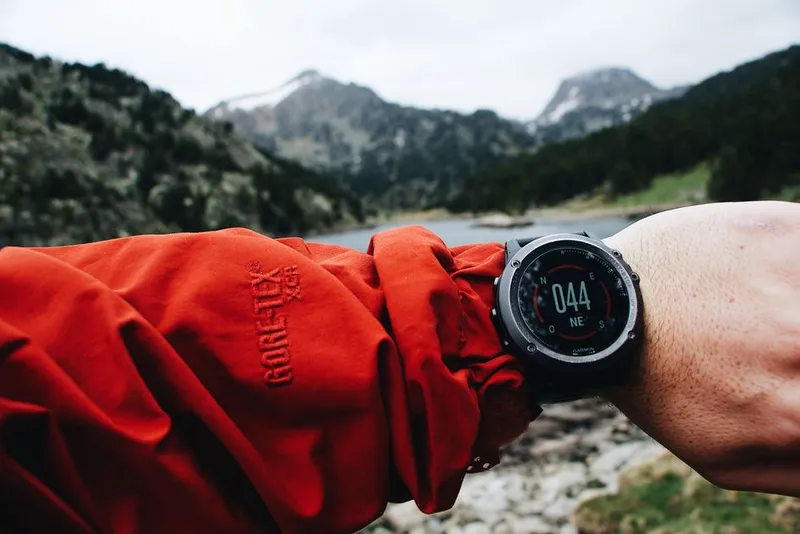
If you spend serious time in the field, a dedicated GPS unit is the single best investment you can make for spatial data quality. The difference is in the hardware, not the satellites — both are listening to the same signals.
| Smartphone | Garmin GPSMAP 66sr | Bad Elf GPS Pro+ | Garmin eTrex 32x | |
|---|---|---|---|---|
| Real accuracy (clear sky) | 5–15m | 2–4m | 1–3m (with SBAS) | 3–5m |
| Constellations | GPS + GLONASS + Galileo + BeiDou | GPS + GLONASS + Galileo | GPS + GLONASS + Galileo + BeiDou | GPS + GLONASS |
| SBAS | Uncertain (model dependent) | WAAS / EGNOS | WAAS / EGNOS / MSAS | WAAS / EGNOS |
| Battery life (GPS active) | 4–6 hours | 16+ hours | 10+ hours | 25 hours (2× AA) |
| Durability | Fragile, not waterproof | IPX7, rugged | Water resistant | IPX7, rugged |
| Waypoint averaging | App-dependent | Built in | App-dependent (host device) | Built in |
| Barometric altimeter | Yes (but GPS vertical is poor) | Yes | No | Yes |
| Price | $0 (already have one) | ~$450 | ~$240 | ~$250 |
The Bad Elf is a Bluetooth GPS receiver that pairs with your phone — it has a professional-grade antenna and chipset but uses your phone for display. It updates at 10Hz (ten times per second) instead of the phone’s typical 1Hz, which matters if you are logging tracks.
For most field research, a Garmin eTrex or GPSMAP is worth the money. The accuracy improvement is real, the battery lasts all day, and you can replace AA batteries in the eTrex anywhere in the world. If you can only afford one upgrade for your field kit, make it a dedicated GPS receiver.

What Makes GPS Wrong
Multipath — Signals That Bounce
The single biggest source of error you cannot control. GPS signals are radio waves. When they hit a canyon wall, a building, a rock face, or a dense tree trunk, they reflect. The reflection takes a longer path to your receiver than the direct line. Your receiver calculates distance from travel time — it does not know the signal bounced. A reflected signal says “this satellite is farther away than it really is,” and your position shifts toward the reflector.
Counterintuitive: Multipath is worse when you are stationary than when you are moving. When you walk, the false solutions from reflected signals fail to converge — only the direct signals produce stable measurements. This is why your track log might look smooth but your stationary waypoint drifts. It is also why the urban canyon effect is so severe: you are usually standing still on a sidewalk, surrounded by reflective surfaces, with half the sky blocked.
Forest Canopy
Leaves and branches attenuate GPS signals. Under dense canopy, the signal can drop below the receiver’s noise floor — it simply cannot hear the satellite. You need line-of-sight to at least four satellites for a fix. Under canopy, you might only track two or three. If your receiver locks four but one is marginal, your position might be computed but with terrible geometry. Rainforest and dense evergreen canopy are the worst. Deciduous forest in winter is barely an obstacle. Open savanna is ideal.
Multi-constellation helps here. If GPS satellites are blocked by the canopy above you, GLONASS satellites (higher orbital inclination) or Galileo satellites at different positions may still be visible through gaps. A modern phone tracking four constellations can see 20+ satellites where a GPS-only unit sees 6.
Cold Start — The Airplane Mode Problem
GPS works in airplane mode. GPS is receive-only — your phone does not transmit anything. It just listens. The myth that GPS fails in airplane mode comes from how long it takes to get the first fix.
To calculate your position, your receiver needs to know which satellites are overhead and where they are in their orbits. This data — the almanac and ephemeris — is transmitted by the satellites themselves at a glacial 50 bits per second. Downloading the full almanac from the satellites takes 12.5 minutes.
Your phone normally cheats. When it has a cellular connection, it downloads the almanac and ephemeris from a server over the internet — this is A-GPS, Assisted GPS. It takes one second instead of twelve minutes. That is why your phone gets a GPS lock in seconds when online.
When you have been in airplane mode for days, your phone has no almanac. It must download it from the satellites. 2 to 4 minutes is normal. Up to 12.5 minutes is possible. This feels broken — the GPS appears to do nothing while a progress bar sits there — but it is working. It is just working at 1980s modem speeds.
Field tip: If you know you will need GPS soon, turn off airplane mode briefly to let A-GPS update the almanac, then switch back. Many phones cache almanac data for up to 7 days. Some dedicated GPS units let you preload it. If you are offline and stuck, turn on your GPS receiver 15 minutes before you actually need it and leave it with a clear sky view.
Satellite Geometry
The position of satellites in the sky changes continuously. Sometimes they are well spread — one overhead, one near each horizon — giving a low DOP and good accuracy. Sometimes they are clustered in one part of the sky, giving a high DOP and poor accuracy. GPS satellites repeat their ground tracks roughly every 12 hours. If you got a bad fix at 10am, try again at 10pm — the geometry will be completely different.
Coordinate Systems Matter
GPS satellites use WGS84 — the World Geodetic System 1984. This is the coordinate system that Google Maps, OpenStreetMap, and virtually all modern GPS receivers use by default. It is defined by the US Department of Defense and continuously refined to be accurate worldwide.
Unless you have a specific reason to do otherwise, always record your field data in WGS84.
The problem comes when mixing data. Many countries have their own local datums, developed from ground surveys long before GPS existed. The shift between WGS84 and a local datum can be 50 to 200 meters. If you are working in East Africa, your government’s protected area boundaries might be in Arc 1960. If you overlay your WGS84 field points on an Arc 1960 boundary without transforming, a point that appears well inside the park could actually be outside it. A report about poaching inside park boundaries becomes incorrect.
This is one of the most common and most invisible errors in field GIS.
It looks right on screen. The numbers are close. Everything aligns — but the underlying coordinate systems are different, and the shift is uniform across all points. You will never notice it unless someone physically verifies a point.
In your metadata, always record:
- The coordinate system used (WGS84 is the safe default)
- Whether coordinates are in decimal degrees or degrees-minutes-seconds
- At minimum 5 decimal places (0.00001° ≈ 1.1 meters at the equator)
- The source datum of any external data you are combining with
How to Get Better Accuracy
Before You Record
Get a clear sky view. Step out from under canopy if possible. You do not need a full horizon, but at least 30° above the horizon should be clear in all directions. The more sky you can see, the more satellites you will track and the better your DOP.
Wait for a good lock. Do not record immediately after the first fix. Watch the accuracy estimate settle. If you can see HDOP (horizontal dilution of precision), aim for below 2. Below 5 is acceptable. Above 5, consider waiting or moving. Smartphone apps that show satellite data include GPS Status (Android) and Gaia GPS.
Hold the receiver flat. For phones, this means screen facing the sky, horizontal. Not vertical. Not at an angle. The internal GPS antenna is designed to receive best when the phone is flat. For dedicated GPS units, the antenna is typically in the top portion — hold it flat or at most 45° from horizontal.
Check your satellite count. More than 8 is good, more than 12 is excellent. Less than 6 is marginal. Many data collection apps show this.
While Recording
Use waypoint averaging. This is the single most impactful thing you can do. Take 30 seconds of readings. Because GPS errors are largely random, averaging cuts the error by the square root of the number of readings. One reading might be 10m off. Thirty readings averaged is about 2m off. Most dedicated GPS units have a built-in averaging function. For phones, some apps support it (Gaia GPS, Avenza Maps). If your app does not, take 10–20 points manually and average them later.
Record metadata. At minimum: HDOP, number of satellites, fix quality, and whether you used averaging. If your app does not record these automatically, write them down. A point without metadata is a guess. A point with HDOP of 8 and 4 satellites tells you “this is approximate, plan to search a larger area.”
Take a second point. Walk 10 meters away and record again. The vector between the two points should roughly match your walking direction. If it does not, you have multipath.
What Not to Do
Do not hold the phone against your body. Your body is mostly water and absorbs GPS frequencies. Hold it away from you, at arm’s length.
Do not trust a single-point reading taken immediately after unlocking the phone. Give it time to settle.
Do not assume the accuracy number means what it says. If conditions are not ideal — canopy, buildings, canyon walls — assume your actual accuracy is 2–5× worse than the displayed estimate.
SBAS: Free Accuracy from Space
SBAS — Satellite-Based Augmentation System — is a free correction service broadcast from geostationary satellites. Ground stations at known locations measure GPS errors and broadcast corrections. A WAAS-enabled receiver applies these corrections and can improve accuracy from ~5m to 1–2 meters.
The catch: coverage is regional.
WAAS: United States, Canada, Mexico
EGNOS: Europe, North Africa (Morocco to Egypt), Middle East
MSAS: Japan
GAGAN: India
SouthPAN: Australia, New Zealand (operational since 2022)
A-SBAS: Africa and Indian Ocean — under development, not yet available
If you are working in sub-Saharan Africa, there is currently no operational SBAS coverage. You are on autonomous GPS. This is important to know because it means your accuracy ceiling is fundamentally higher than colleagues working in North America or Europe. A point recorded in Kenya with a phone is inherently less accurate than a point recorded in Montana with the same phone, all other factors being equal.
Most dedicated GPS receivers (Garmin, Bad Elf) support WAAS and EGNOS. Phone support varies — check your model. Even when supported, SBAS requires a clear line-of-sight to the geostationary satellite, which sits low on the southern horizon in the northern hemisphere and vice versa. If you are in a valley or under canopy, you may not receive the corrections even when they are available.
When You Need Sub-Meter Accuracy
For camera trap placement and most field waypoints, 2–5 meter accuracy is sufficient. You can find the trap again. Sub-meter accuracy is expensive and complex, and you should only pursue it when your research question demands it.
DGPS (Differential GPS) uses a ground reference station at a known location. The station broadcasts corrections. Accuracy: 1–3 meters. Requires a correction source within a few hundred kilometers. Cost: $500–2,000 for a DGPS-capable receiver. Many marine DGPS networks still operate in coastal areas.
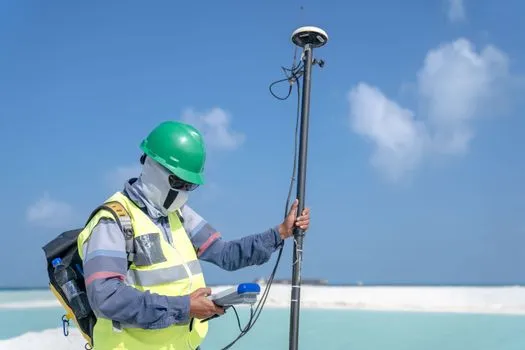
RTK (Real-Time Kinematic) takes carrier-phase measurements of the GPS signal — far more precise than the code-phase timing used by consumer receivers. Accuracy: 1–3 centimeters. Requires a base station (known location) within ~20 km and a rover receiver, plus a radio link between them. Entry-level RTK systems start at $3,000–10,000. Setup complexity is high. Used by surveyors and precision agriculture. Overkill for most field ecology.
PPP (Precise Point Positioning) uses precise satellite orbit and clock corrections from global networks instead of a local base station. Can achieve centimeter-level accuracy, but typically requires 20–60 minutes of continuous observation to converge. Galileo’s High Accuracy Service (HAS) provides free PPP corrections via satellite.
| Accuracy needed | Equipment | Approximate cost | When to use |
|---|---|---|---|
| 5–15m | Smartphone | $0 | Reconnaissance, approximate waypoints |
| 2–5m | Dedicated GPS + SBAS | $250–600 | Camera traps, vegetation plots, transect markers |
| 1–3m | DGPS receiver | $500–2,000 | Permanent plot markers, precise habitat mapping |
| 1–3 cm | RTK system | $3,000–15,000 | Drone ground control, sub-centimeter surveys |
Field Accuracy Checklist
- Get clear sky — at least 30° above horizon all around
- Hold the receiver flat, not vertical, not against your body
- Wait for the fix to settle — watch HDOP drop below 2 if possible
- Check satellite count — more than 8 is good, less than 6 is marginal
- Use waypoint averaging — 30 seconds minimum
- Record metadata — HDOP, satellite count, fix quality, averaging used
- Record in WGS84, decimal degrees, 5+ decimal places
- Take a backup point 10m away to check for multipath
- Write down conditions — under canopy, in gully, clear sky
- If accuracy matters, use a dedicated GPS receiver with SBAS
If you are in sub-Saharan Africa, SBAS is not available — plan accordingly
If you have been in airplane mode, turn off airplane mode briefly to update A-GPS
Assume real accuracy is 2–5× worse than the displayed accuracy estimate
- Never trust GPS vertical accuracy from a phone
The accuracy number on your screen is a promise the hardware cannot keep.
Treat it as an optimistic estimate at best. When your point matters — when
you need to find this location again next season, when the analysis depends
on it, when someone else will navigate to your coordinates — invest the 30
seconds to average, check your metadata, and record conditions. Your future
self, standing in the bush holding a phone that says “CT-47 is 3 meters
ahead,” will thank you.