From Raw Image.
To Clean Record.
A Field Guide for Junior Rangers.
A plain-language, step-by-step workflow for processing camera-trap and wildlife images into trusted conservation data
Wildlife images are evidence. A photo of a leopard crossing a road, a hyena at a waterhole, a vehicle on a boundary fence, or an empty night frame is not just a picture. It is a record of what happened at a place and time.
Your job as a field ranger is to help turn those pictures into information that other people can trust. That means protecting the original files, keeping good notes, checking dates and camera locations, sorting out empty images, identifying animals carefully, and reporting results in a way that is useful for patrol planning, ecological monitoring, and conservation decisions.
This guide is written for a junior field ranger. It does not assume you are a data scientist or programmer. The goal is to give you a safe, repeatable workflow you can follow every time you collect camera-trap images, ranger patrol photos, or other wildlife images from the field.
Source note: This guide was prepared from current camera-trap data guidance from GBIF, Wildlife Insights, Camtrap DP, Microsoft MegaDetector and PyTorch-Wildlife documentation, and sensitive species data guidance accessed on 14 June 2026. Local reserve protocols, national law, permit conditions, and instructions from your ecologist or conservation manager always take priority.
What “Processing Wildlife Images” Means
Processing wildlife images means taking raw photos from a camera or phone and turning them into clean records. A clean record should answer four simple questions:
| Question | Example answer | Why it matters |
|---|---|---|
| What was seen? | Leopard, human, vehicle, elephant, bird, blank image | This tells the team what activity happened. |
| Where was it seen? | Camera station KNP-North-014 or waterhole W03 | This helps map animal movement, patrol risk, and habitat use. |
| When was it seen? | 2026-06-14 at 21:34 local time | This helps understand activity times and match events to patrols or other cameras. |
| How sure are we? | Confirmed by ranger, uncertain, AI suggestion only | This stops weak identifications from being treated as facts. |
Good image processing is not about speed only. Speed helps, especially when a camera produces thousands of images, but accuracy and traceability matter more. Someone should be able to look at your record later and understand where the file came from, who reviewed it, what was identified, and whether anything still needs expert checking.
The Five Golden Rules
Keep these rules in mind before you touch any image files:
Do not edit or delete original files. Keep the raw images exactly as they came from the camera.
Copy first, work later. Always copy files to the project storage before sorting or reviewing.
Keep images grouped by deployment. A deployment means one camera at one place for one time period.
Record uncertainty honestly. “Unknown antelope” is better than a wrong species name.
Protect sensitive information. People, vehicles, camera locations, rhino sightings, pangolin records, nests, dens, and rare species may need restricted access.
These rules are simple, but they prevent most serious data problems: lost files, mixed-up camera stations, wrong dates, accidental exposure of sensitive locations, and false species records.
The Whole Workflow in One View
Wildlife image processing follows the same path every time:
| Step | What you do | Main output |
|---|---|---|
| 1. Collect | Bring in memory cards or field photos with deployment notes. | Raw images plus field sheet. |
| 2. Copy | Copy files to the correct project folder. | Safe working copy. |
| 3. Backup | Make a second copy before reviewing. | Protected original dataset. |
| 4. Organise | Group files by project, camera, location, and deployment. | Clean folder structure. |
| 5. Check metadata | Check date, time, camera ID, and location notes. | Reliable deployment record. |
| 6. Run AI or first sort | Separate animals, people, vehicles, and blanks. | Shorter review queue. |
| 7. Human review | Confirm species, count, behaviour, and uncertainty. | Verified observations. |
| 8. Quality check | Look for mistakes, missing files, duplicates, and sensitive records. | Clean dataset. |
| 9. Export/report | Send summary and cleaned data to the senior ranger, ecologist, or data manager. | Report, spreadsheet, dashboard, or archive. |
Step 1: Collect Images and Field Notes Properly
Good processing starts in the field. If the camera card arrives without proper notes, the images may be difficult or impossible to use later.
For every camera check, record at least:
Project name: the monitoring project or reserve programme.
Camera ID: the unique code written on the camera body.
Location ID: the code for the camera station or site.
Date and time collected: when the card was removed.
Deployment start and end: when the camera was active.
GPS or site reference: use the approved reserve system, not a public location description for sensitive sites.
Camera condition: working, damaged, stolen, low battery, full card, lens blocked, moved by animal, wrong time, wrong angle.
Card number: useful if several cards are collected in one patrol.
Ranger name or team: who collected or checked the unit.
Do not rely on memory. At the end of a long patrol, several cameras and cards can look the same. Write the information down at the camera site or immediately when you return to the vehicle.
Step 2: Copy and Backup Before You Review
When you return from the field, treat every memory card like evidence. The first job is to protect the files.
- Put the memory card into the computer or card reader.
- Open the project storage folder.
- Create the correct folder for that deployment.
- Copy all images and videos from the card into that folder.
Check that the number of files copied matches what is on the card.
- Make a second copy to backup storage if your team has one.
Only format or reuse the memory card after your supervisor confirms the copy and backup are safe.
A good folder structure is simple and predictable. For example:
project_name/ raw/ camera_id/ location_id/
deployment_2026-06-01_to_2026-06-14/ DCIM/ IMG_0001.JPG IMG_0002.JPG
processed/ exports/ reports/
Keep the original images in the raw folder. If you crop,
rotate, rename, resize, or annotate anything, save those edited files
somewhere else, such as processed. This keeps the original
evidence safe.
Step 3: Organise Files Without Damaging the Raw Data
Most camera-trap systems already give files names like
IMG_0001.JPG or PICT0001.JPG. Do not rename
raw files unless your project manager has a clear rule for doing it. It
is safer to keep original file names and organise by folder.
Use one folder per deployment. Do not mix two cameras in one folder. Do not mix two time periods in one folder. Do not place files from an unknown camera into a known camera folder just because you think it is probably correct.
| Good habit | Bad habit |
|---|---|
| Keep one folder for one camera deployment. | Dumping all cards from the patrol into one folder. |
| Keep original camera file names. | Renaming files with species names before review. |
| Use folder names that sort by date. | Using names like “new photos”, “more pics”, or “camera stuff”. |
Use simple characters: letters, numbers, hyphens, underscores. | Using spaces, apostrophes, slashes, emojis, or long notes in file names. |
If your team uses a formal data platform, follow that platform’s upload rules. If your team uses folders and spreadsheets, keep them tidy enough that another ranger can understand them without phoning you.
Step 4: Check the Important Metadata
Metadata means information about the image. For wildlife monitoring, the most important metadata are usually date, time, camera, place, and deployment details.
Check these before identifying species:
Camera time: is the camera clock correct? If it is wrong, record the correction.
Time zone: does your project use local time or UTC? Use one system consistently.
Camera ID: does the folder match the camera body or field sheet?
Location ID: does the deployment match the correct site?
Start and end date: do the images fall inside the deployment period?
Camera problems: lens blocked, camera tilted, false triggers, low battery, water damage, wrong height, or wrong direction.
If you find a problem, do not hide it. Add a note. A dataset with honest warnings is more useful than one that looks clean but contains hidden errors.
Step 5: Do a First Pass Sort
The first pass is not final species identification. It is a rough sort that helps you reduce the workload.
Sort images into basic categories:
| Category | Meaning | What to do |
|---|---|---|
| Blank | No animal, person, or vehicle visible. | Keep the record, but do not spend much time on it unless investigating camera faults. |
| Animal | Wildlife or livestock visible. | Send to species review. |
| Human | Person visible. | Restrict access and follow privacy/security protocol. |
| Vehicle | Vehicle, motorbike, bicycle, or aircraft visible. | Restrict access if it relates to security or patrol investigations. |
| Unknown | Something is visible but unclear. | Flag for review by a senior ranger or ecologist. |
If your team uses an AI tool, this is usually where it helps most. The AI can remove many blank images and find images with animals, people, or vehicles. You still need a human to review important records.
Step 6: Use AI as an Assistant, Not as the Final Authority
AI tools can save a lot of time, but they are not magic. A model may miss small animals, distant animals, animals partly hidden behind grass, night images, unusual camera angles, local species it has not seen before, or confusing backgrounds.
A common workflow is:
- Run a detector to find animals, people, vehicles, and blanks.
- Review high-risk or uncertain results first.
Use a species classifier only if your project has one that is suitable for your region.
- Confirm important sightings manually.
Record whether the classification was made by AI, a ranger, an ecologist, or a combination.
MegaDetector is an example of a widely used open-source camera-trap detector. It detects animals, people, and vehicles, but it is not a species classifier. PyTorch-Wildlife is the broader framework that can load MegaDetector and other conservation AI models. Platforms such as Wildlife Insights also support camera-trap data management and AI-assisted annotation.
For a junior ranger, the most important rule is this:
AI suggestions must be checked before they become official records.
This is especially important for rare species, conflict species, endangered species, poaching-related evidence, and records that will be used in management decisions.
Step 7: Review Animals Carefully
When reviewing animals, work from easy facts to harder ones.
Is there an animal? If yes, continue. If not, mark blank.
What broad group is it? Mammal, bird, reptile, livestock, unknown animal.
Can you identify the species? Only use species level if you are confident.
How many individuals? Count visible animals, not guessed animals.
Is age or sex obvious? Record only if you can see it clearly.
Is behaviour important? Drinking, feeding, mating, fighting, carrying prey, fence crossing, using road, inspecting camera.
Is it sensitive? Rare species, threatened species, rhino, pangolin, nest/den, carcass, snare, human, vehicle, firearm, or camera tampering.
When you are not sure, choose a higher-level label. For example, use “antelope”, “small carnivore”, “bird”, or “unknown animal” rather than guessing a species. A wrong species can damage an analysis. An honest unknown can still be useful.
| Situation | Better label | Why |
|---|---|---|
| Only legs visible at night. | Unknown mammal | Not enough evidence for species. |
| Small antelope partly hidden by grass. | Unknown antelope | Species may be unclear. |
| Clear elephant herd at waterhole. | African elephant, count visible individuals | Species and count are clear. |
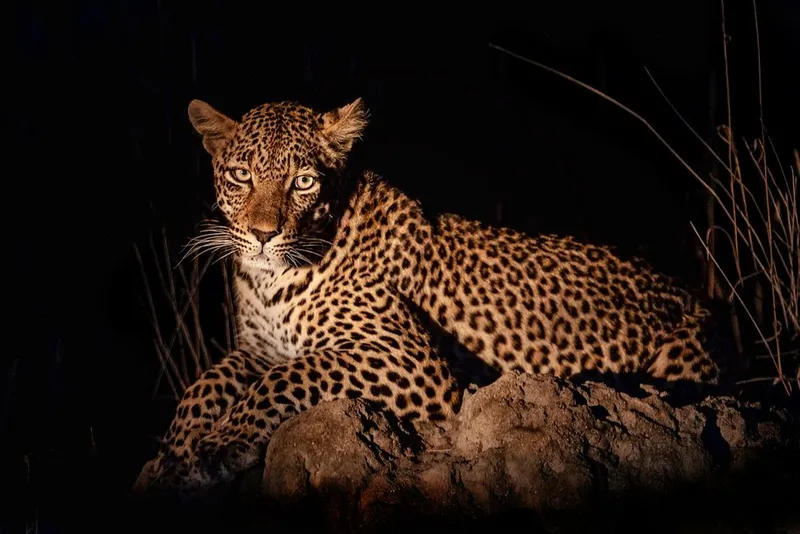
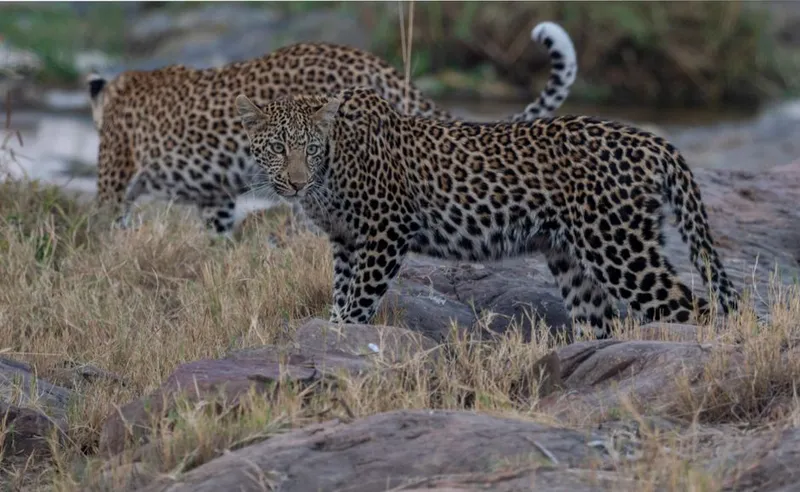
| Leopard-like spotted cat but blurred. | Possible leopard, needs expert review | Important record should be confirmed. |
Step 8: Group Images into Events When Needed
Many cameras take several photos of the same animal in one visit. For example, a hyena may trigger ten images in two minutes. Counting those as ten separate hyenas would be wrong.
Your project may ask you to group images into events or sequences. An event is a set of images that likely show the same visit by the same animal or group. The exact rule depends on your project, but teams often use a time gap such as 30 minutes between independent records.
Always follow your local project rule. If no rule has been given, ask the data manager or ecologist before making independent counts.
| Record type | What it means |
|---|---|
| Image-level record | One row per image. |
| Event-level record | One row per animal visit or sequence. |
| Deployment-level summary | One summary for a whole camera deployment. |
For patrol and management use, event-level records are often easier to understand than image-level records. For detailed research, the data team may need both.
A Simple Spreadsheet Template
If your team does not use a dedicated platform, a simple spreadsheet can work. Keep the columns consistent. Do not change column names halfway through a project.
| Column | Example | Notes |
|---|---|---|
| project_id | north_boundary_2026 | One project name or code. |
| camera_id | CAM_014 | Must match the camera label. |
| location_id | NB_014 | Use the reserve-approved site code. |
| deployment_id | CAM_014_20260601_20260614 | One camera, one site, one time period. |
| file_name | IMG_0042.JPG | Original file name. |
| file_path | raw/CAM_014/NB_014/… | Where the image is stored. |
| timestamp | 2026-06-14T21:34:00+02:00 | Use a consistent date-time format. |
| observation_type | animal | animal, human, vehicle, blank, unknown. |
| common_name | Leopard | Use accepted reserve names. |
| scientific_name | Panthera pardus | Use only if your team requires it and you know it. |
| count | 1 | Number visible, not guessed. |
| confidence | confirmed | confirmed, likely, possible, unknown. |
| classified_by | ranger_jabu | Person, AI model, or both. |
| classification_method | human_review | human_review, ai_suggestion, ai_plus_human. |
| sensitive | yes | yes/no. Follow reserve protocol. |
| notes | Blurred; possible cub nearby | Keep notes short and professional. |
This is a practical field template, not a full scientific data standard. If your project will publish data to GBIF or exchange it with other systems, the data manager may convert it to Camtrap DP or Darwin Core later.
Step 9: Protect Sensitive Data
Some images must not be shared widely. This is not about hiding science; it is about protecting animals, people, staff, cameras, and the reserve.
Treat the following as sensitive unless your supervisor says otherwise:
Images of people, staff, community members, tourists, suspects, or patrol activity.
Vehicles, number plates, firearms, snares, carcasses, fence breaks, or signs of illegal activity.
Exact locations of rhino, pangolin, rare orchids, nests, dens, breeding sites, or other vulnerable species.
- Exact camera locations, especially active cameras.
Notes that reveal patrol routes, informant information, security weaknesses, or private property details.
Do not post camera-trap images on social media without permission. Do not share GPS coordinates in WhatsApp groups unless the group is approved for that purpose. Do not include exact sensitive locations in public reports. If a record is important but sensitive, mark it clearly and send it through the correct internal channel.
When data are shared outside the reserve, sensitive locations may need to be generalized. This means giving a wider area rather than the exact camera point. The correct level of generalization depends on the species, the threat, and the rules of your organization.
Step 10: Do a Quality Check Before Reporting
A quality check is a final look for mistakes before data are used. Use this checklist before sending your file to a senior ranger, ecologist, data manager, or reserve manager.
| Check | Question to ask | Action if wrong |
|---|---|---|
| File count | Did all files copy from the card? | Re-copy from card or report missing files. |
| Folder | Are the files in the correct deployment folder? | Move to correct folder before processing. |
| Timestamp | Does the camera time look correct? | Record time error and correction. |
| Species | Are rare or difficult species confirmed? | Flag for expert review. |
| Blanks | Are blank images really blank? | Spot-check AI blank results. |
| Duplicates | Are the same files copied twice? | Remove duplicates from processed data, not from raw backup. |
| Sensitive records | Are people, vehicles, rare species, and security images marked? | Restrict, anonymize, or generalize before sharing. |
| Names | Are common and scientific names consistent? | Use the reserve species list or ask the ecologist. |
Step 11: Report What Matters
Your report should be useful to the people who make decisions. Do not just send a folder of images unless that is what was requested.
A good short report includes:
Project and date range: what was processed.
Number of cameras or deployments: how much effort was covered.
Total media processed: number of images/videos.
Summary by category: animals, humans, vehicles, blanks, unknowns.
Species list: confirmed species detected.
Important sightings: rare species, breeding signs, unusual behaviour, conflict species.
Security flags: humans, vehicles, snares, firearms, fence damage, camera tampering.
Data warnings: wrong camera time, missing cards, failed camera, unclear images, heavy false triggers.
Next actions: expert review needed, patrol follow-up, camera maintenance, redeployment, or data upload.
Keep sensitive details out of general reports. Use a separate restricted report for exact locations, suspected illegal activity, or highly vulnerable species.
Example Summary for a Senior Ranger
This is the kind of short summary a junior ranger could send after processing a batch:
Camera-trap image processing summary — North Boundary, 1–14 June 2026
Processed 4 deployments from cameras CAM_011 to CAM_014. Total media reviewed: 8,420 images. First-pass sorting found 5,930 blanks, 2,210 animal images, 184 human images, 72 vehicle images, and 24 unknown/unclear images. Confirmed species include elephant, kudu, impala, spotted hyena, leopard, porcupine, vervet monkey, and side-striped jackal. One possible pangolin record from CAM_014 at NB_014 needs expert confirmation and has been marked sensitive. CAM_012 time appears to be 2 hours behind local time; correction noted in the spreadsheet. CAM_013 produced many blank triggers due to grass movement and should be trimmed or repositioned. Human and vehicle records were separated into the restricted folder for security review.
Notice that the summary gives numbers, important sightings, problems, and actions. It does not expose sensitive coordinates in the general text.
Common Mistakes to Avoid
| Mistake | Why it is a problem | Better practice |
|---|---|---|
| Deleting blank images too early. | Blank rate can show camera problems or effort. | Keep raw files; mark blanks in processed data. |
| Renaming files with species names. | Names can be wrong and break links to records. | Keep species names in the spreadsheet or data platform. |
| Guessing species when unsure. | Wrong records can mislead conservation decisions. | Use “unknown” or “possible” and flag for review. |
| Mixing cards from different cameras. | Location and effort become unreliable. | Copy one card at a time into the correct deployment folder. |
| Ignoring wrong camera time. | Activity patterns and event matching become wrong. | Record the time error and correction. |
| Sharing rare species images publicly. | Can increase risk to animals and camera sites. | Follow sensitive data rules and get approval. |
| Trusting AI without checking. | AI can miss animals or misread local species. | Human-review important, uncertain, and sensitive records. |
How to Treat AI Confidence Scores
Some AI tools give a confidence score. A high score means the model is more confident. It does not mean the answer is definitely correct.
| AI result | What it means | What you should do |
|---|---|---|
| High-confidence animal detection | The model is confident there is an animal. | Review for species, count, and sensitivity. |
| Low-confidence animal detection | The model saw something but is unsure. | Check manually; it may be a small, distant, or hidden animal. |
| High-confidence blank | The model thinks nothing important is visible. | Spot-check a sample, especially at new sites or with new cameras. |
| Species classifier suggestion | The model suggests a species. | Accept only after human review, especially for important records. |
If you see repeated AI mistakes from the same camera, tell the data manager. The problem may be vegetation, camera angle, infrared glare, dust, water on the lens, or a local species the model does not handle well.
Quick Checklists
Before leaving the camera site
- Card collected and labelled.
- Replacement card inserted if needed.
- Camera ID recorded.
- Location ID recorded.
- Date and time checked on camera.
- Battery level recorded.
- Camera direction, height, and condition checked.
- Any problems written down.
Before reusing a memory card
- Files copied to project storage.
- File count checked.
- Backup completed.
- Deployment folder confirmed.
- Supervisor or project rule allows formatting.
Before submitting processed data
Blanks, animals, humans, vehicles, and unknowns separated or labelled.
- Important species confirmed or flagged.
- Sensitive records marked.
- Wrong camera time noted.
- Missing or damaged data reported.
- Summary report prepared.
When the Data Team Talks About Standards
You may hear terms like Camtrap DP, Darwin Core, GBIF, or FAIR data. You do not need to master these on day one, but it helps to know what they mean.
| Term | Plain-language meaning |
|---|---|
| Camtrap DP | A standard way to package camera-trap data using tables for deployments, media, and observations. |
| Darwin Core | A widely used biodiversity data standard for sharing species occurrence records. |
| GBIF | A global network and data platform where biodiversity records can be published and cited. |
| FAIR data | Data that are findable, accessible, interoperable, and reusable. |
Your clean field notes and careful image processing make these standards possible. If the field data are messy, no standard can fix everything later.
Training Exercise for a Junior Ranger
Use this exercise to practise before processing real high-value data.
- Take a small folder of 100 mixed images from a training camera.
Create a deployment folder with the correct project, camera, location, and date range.
- Copy the images into the raw folder.
- Create a spreadsheet using the template in this guide.
Sort the images into blank, animal, human, vehicle, and unknown.
- Identify animals only as far as you are confident.
- Mark any sensitive images.
- Write a five-line report for your supervisor.
Ask a senior ranger or ecologist to review ten random records and all uncertain records.
- Discuss any mistakes and update your notes.
The goal is not to be perfect on the first try. The goal is to build a habit of careful, repeatable work.
Final Advice
A good ranger is not just someone who sees wildlife in the field. A good ranger helps turn sightings into reliable knowledge. Every clean folder, corrected timestamp, honest unknown, confirmed species record, and protected sensitive image improves the reserve’s ability to understand and protect wildlife.
Work carefully. Ask when unsure. Protect the originals. Respect sensitive information. Let AI help, but do not let it replace field judgement. Your image records may later support patrol planning, anti-poaching investigations, ecological research, species recovery work, habitat management, and conservation funding.
Sources and Further Reading
GBIF: Best Practices for Managing and Publishing Camera Trap Data
Wildlife Insights: Standards and camera-trap data resources
Camtrap DP: Camera Trap Data Package standard
Microsoft MegaDetector documentation
Microsoft MegaDetector GitHub repository
PyTorch-Wildlife: A Collaborative Deep Learning Framework for Conservation
GBIF: Current Best Practices for Generalizing Sensitive Species Occurrence Data